 FRACTAL INFINITY
Physical Design AI
Physical Design AI
From digital concepts to physical capability.
Fractal Infinity is expanding into physical AI—connecting intelligent design, simulation, and visualization with real-world fabrication. We’re building toward rapid prototyping, robotic components, and manufacturing workflows that address immediate engineering needs and long-term supply-chain demand.
Direction
SolidWorks × Blender · Interactive Architecture
Carmel Sauna — Engineered first. Experienced next.
A cedar sauna and changing room, designed as an engineering assembly in SolidWorks before becoming a cinematic environment. The walls, roof, benches, doors, glazing, vents, and chimney originate in CAD geometry—not a building sculpted just for a camera.
- 4.78 × 3.13 m footprint
- 3.3 m to ridge
- Sauna + changing room
- CAD-derived 3D geometry
Explore the build.
Open full-screen ↗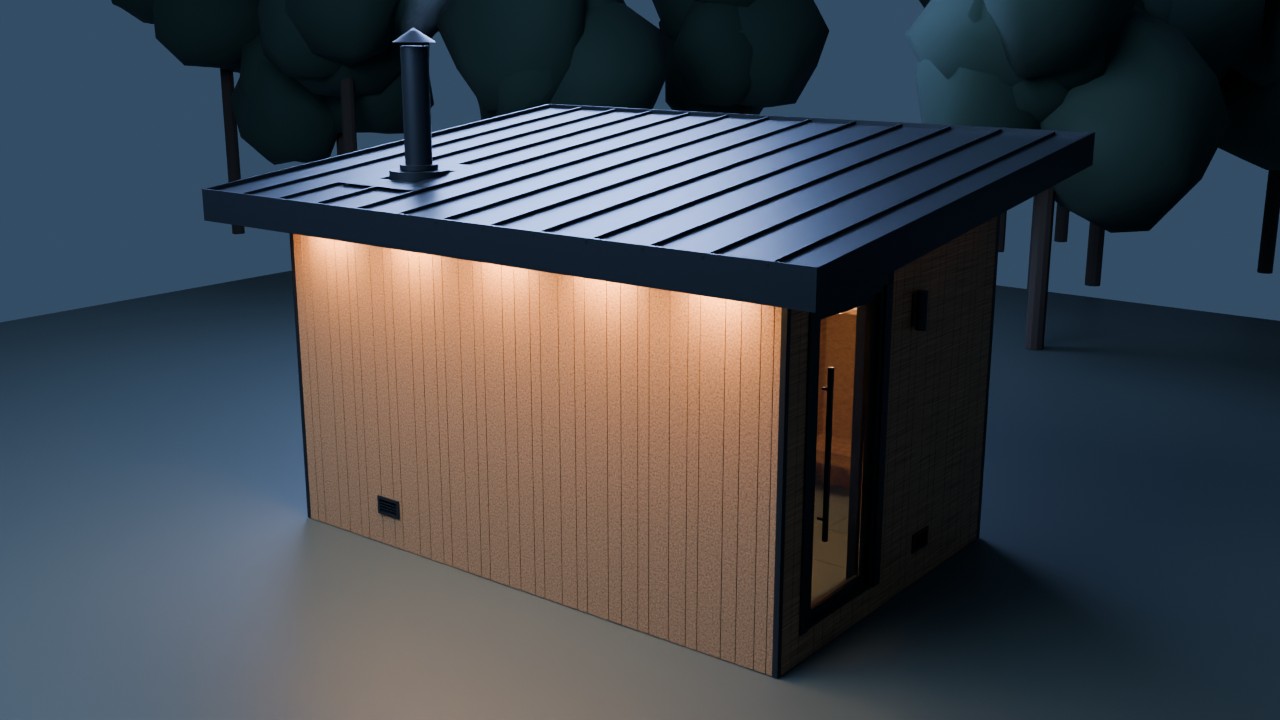
Walk around the design. Look inside.
Loads the 3D scene on demand · mouse + touch controlsDesktop: drag to orbit, scroll to zoom, right-drag to pan. Phone: one-finger drag to orbit; pinch to zoom or use two fingers to pan. Scroll the page outside the scene.
Change the atmosphere.
Switch between golden hour, midday, and blue hour. Toggle the interior lights to see how the glazing and cedar respond.
Reveal the interior.
Lift the roof, then orbit above the walls to inspect the benches, changing room, and interior layout. Turn Spin on for an automatic orbit; dragging takes control back.
Your viewpoint. Your pace.
Orbit, zoom, and pan with a cursor or your fingers. Reset view returns to the starting composition. Open full-screen for a larger workspace.
From engineering geometry to moving image
The SolidWorks design is the source; a STEP export bridges the CAD assembly into tessellated visualization meshes. Blender adds materials, lighting, cameras, and animation without replacing the original engineering geometry. The cinematic production records a protected, unchanged source baseline. The browser scene uses a lightweight GLB derivative of that CAD export, with procedural materials and an animated coastal setting.
This is an engineering-led design presented through animation—not a claim that the animation itself proves structural, thermal, or fire-safety performance.
Visualization, not construction approval. STEP tessellation is a visual approximation, not replacement CAD. The browser derivative omits concealed framing and backing layers. Site, materials, and lighting are illustrative; engineering and code compliance remain to be validated.
SolidWorks × Blender · Hybrid Build
Turbine Module V001 — Held in the Field.
Seven solid parts, born in SolidWorks and bound by mates: a Ø160 mm housing, a 12-vane stator, a 16-blade rotor pitched at 62°, a stainless shaft, two bronze bushings, and an end cover. Exported as true solid geometry—no proxy meshes, no sculpted stand-ins—then handed to an ASI-style containment field in Blender.
The field takes the module apart in mid-air, tags every component with its spec, then pulls it back together and drives the rotor up to speed. A hologram you could machine: the same solids generate the GD&T production drawings below.
- 7 SolidWorks solids
- 16-blade rotor · 62.2° pitch
- 12-vane stator
- Ø160 × 180 mm envelope
- 7 GD&T drawings
Hold it yourself.
Drag to orbit · scroll or pinch to zoom · the housing is rendered translucent so the stator and rotor stay visible.
From the same CAD: ASME Y14.5 drawings with datums, feature control frames, fits, and angle callouts—generated through the SolidWorks API.
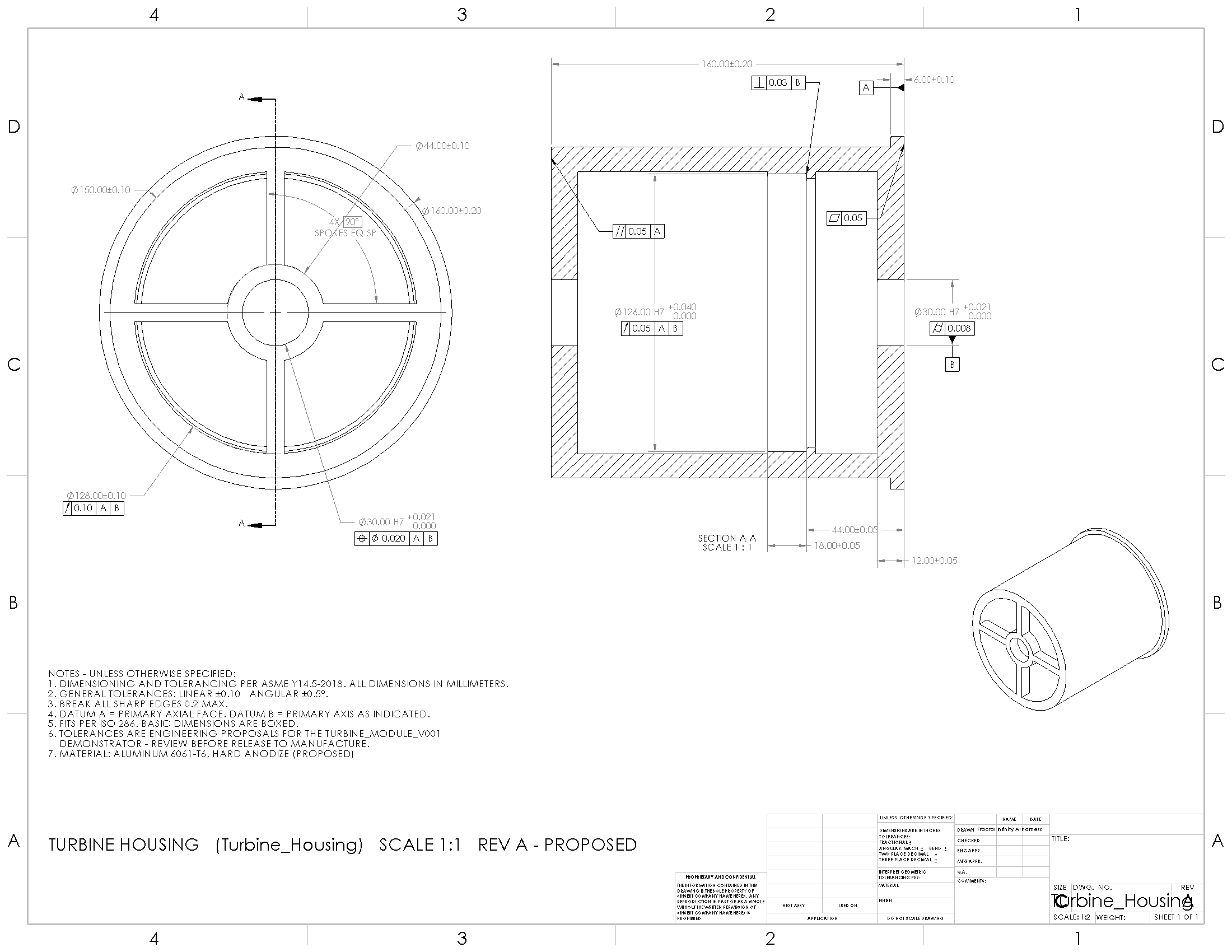
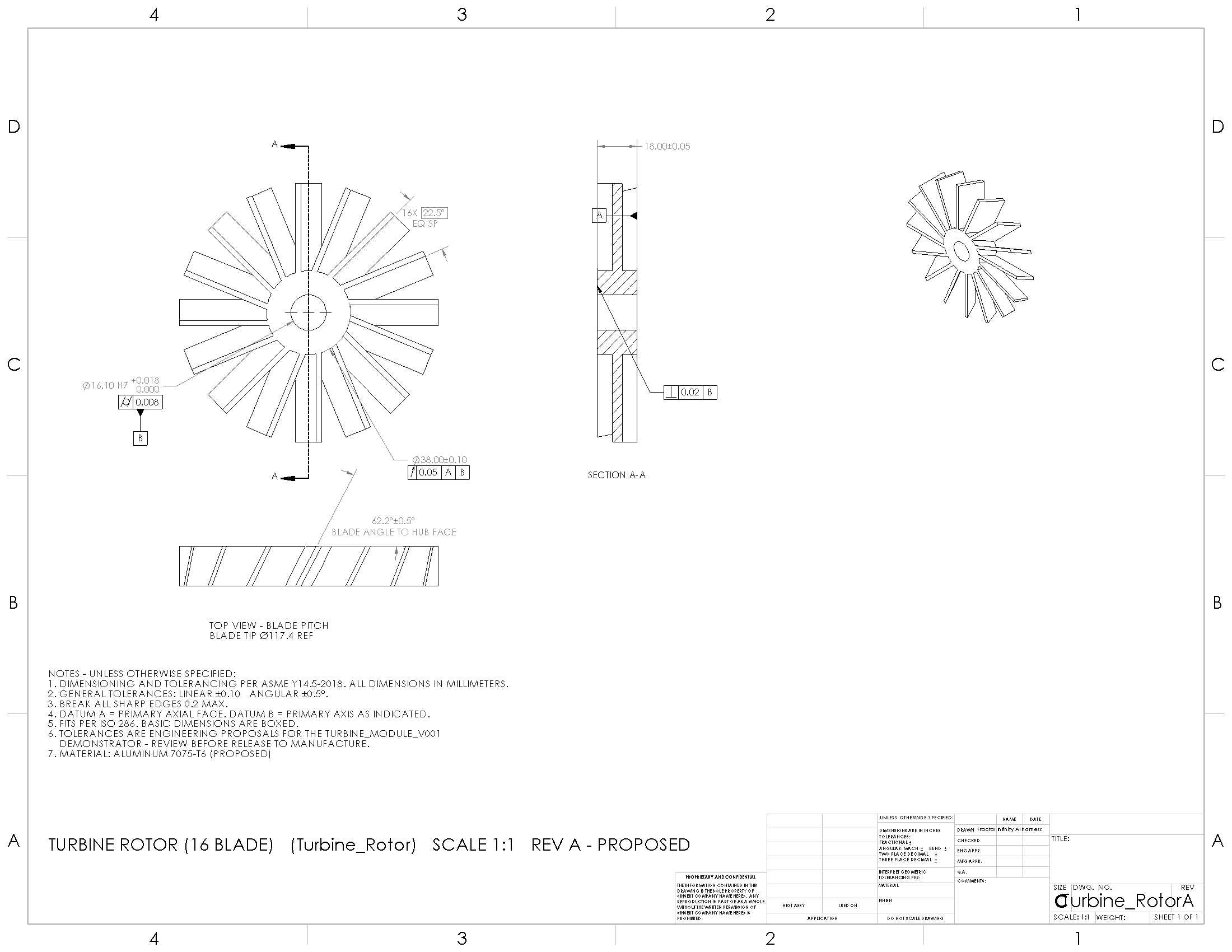
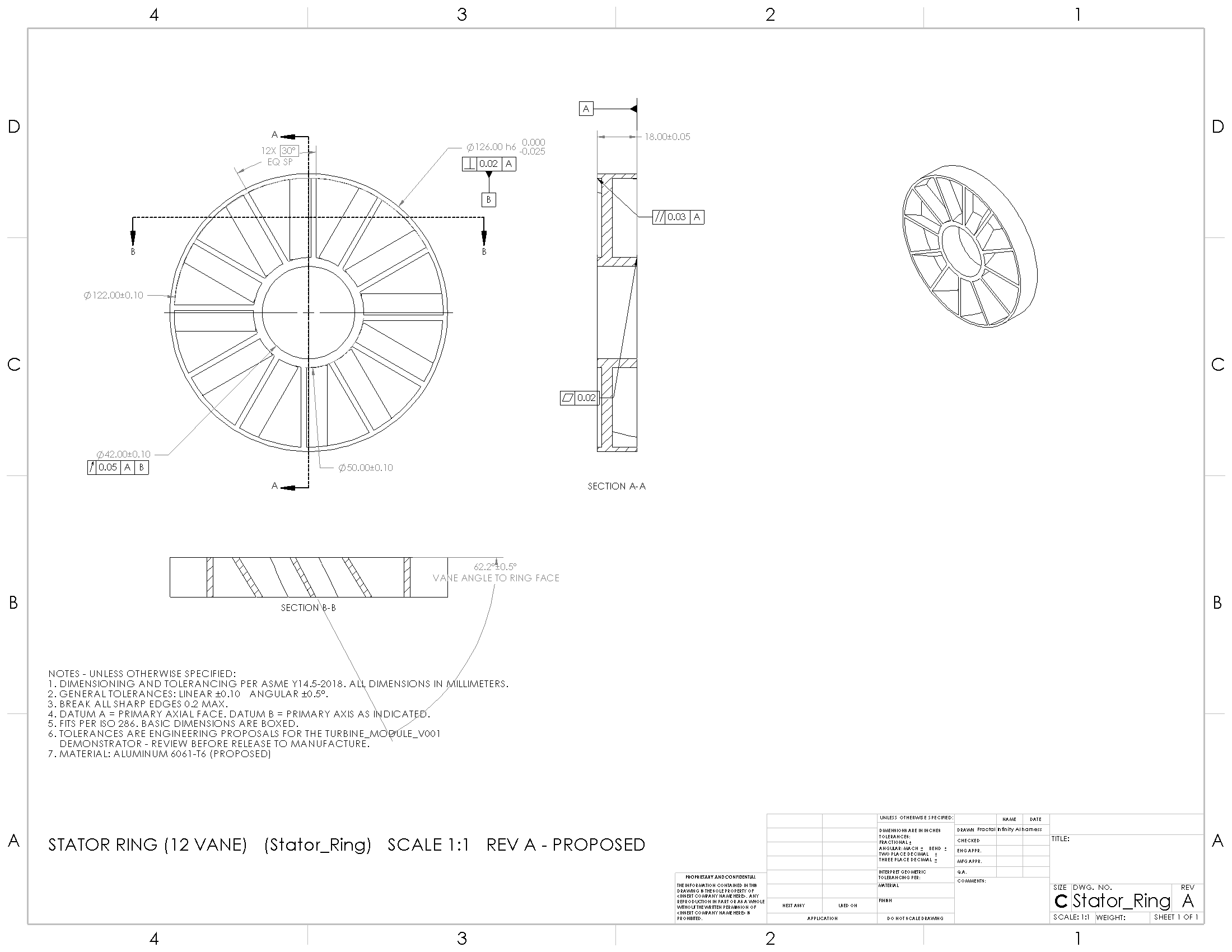
Hybrid workflow: true SolidWorks solids; containment-field effects rendered in Blender. Geometry and fit demonstration—aerodynamic performance, materials, and drawing tolerances (Rev A) are proposed and untested.
Blender Rendering & Animation
Purpose-Built Grip
A SolidWorks-designed gripper pad becomes the focal point of a cinematic two-robot handoff—capture, rotation, precise placement—and closes on the native SolidWorks drawing.
Geometric and kinematic demonstration. Grip force, controls, and hardware reliability remain untested.
Blender Rendering & Animation
Precision, Set in Motion.
Thirty-one components. Eighteen editable parts. One coordinated grip. Built in SolidWorks, this kinematic prototype joins separate parts through mechanical mates, turning pinion rotation into synchronized jaw movement across a 50 mm opening. Blender reveals the mechanism through cinematic close-ups and an illustrative exploded assembly.
Verified workflow: SolidWorks mate-solved motion exported to Blender for cinematic rendering. This prototype does not claim validated load capacity.
Where this is headed
This is a product direction, not a claim of factory operations or proven production capacity. The work starts in design, simulation, and cinematic visualization—then moves toward fabrication-ready workflows as those capabilities mature.